Not sure which laser is right for you? We're here to help.Get a Free Consultation

WeCreate Laser Resources — Guides, Downloads & Project Ideas

Everything you need to get the most out of your laser — from beginner setup guides to advanced material databases and project inspiration.

Getting Started

New to laser engraving? These guides walk you through setup, safety, and your first projects step by step.

Unboxing & First Setup

A step-by-step walkthrough of assembling your WeCreate laser, connecting the software, and running your first test cut. Covers CO2, fiber, and diode models.

Video + PDF Guide · 15 min read

Laser Safety Essentials

Understand laser classes, required protective equipment, ventilation setup, and material safety considerations. Required reading before your first use — especially for open-frame diode systems.

PDF Guide · 10 min read

Software Quick Start

How to install and configure LightBurn, LaserGRBL, or WeCreate Studio. Import your first SVG, set cutting parameters, and understand the key controls.

Video Tutorial · 20 min

Material Parameter Database

Tested settings for common materials on WeCreate laser systems. These are starting points — always run a test cut on your specific material batch.

CO2 Laser Parameters

Material Power Speed Passes
3mm Plywood 60% 15mm/s 1
5mm Acrylic 80% 8mm/s 1
Leather (engrave) 20% 300mm/s 1
Glass (engrave) 35% 200mm/s 2
3mm MDF 55% 18mm/s 1

Settings based on WeCreate CO2 60W (Model WC-C60, 2024 revision) with 60W glass CO2 tube, 10.6μm wavelength, 50.8mm focus lens. Tested at 22°C ambient, 45% humidity. Scale power proportionally for higher/lower wattage units. Actual results depend on material manufacturer, ambient temperature, and focus calibration. These parameters were recorded in our application lab in January 2025.

Fiber Laser Parameters

Material Power Speed Frequency
Stainless Steel (black mark) 40% 800mm/s 20kHz
Stainless Steel (color) 15% 50mm/s 80kHz
Anodized Aluminum 25% 1000mm/s 30kHz
Brass 60% 600mm/s 25kHz
Hard Plastic (ABS) 12% 1200mm/s 40kHz

Settings based on WeCreate Fiber 30W (Model WC-F30, 2024 revision) with JPT OPTO-MOPA M7 laser source, 1064nm wavelength, 175mm F-theta lens, 110mm x 110mm marking field. Color marking on stainless steel requires precise control of power and frequency — results vary by alloy grade (304 produces warmer tones, 316 tends toward cooler blues). Parameters recorded in our application lab in January 2025.

Project Ideas & Inspiration

Not sure what to make? Here are some of our community's most popular project categories to get you started.
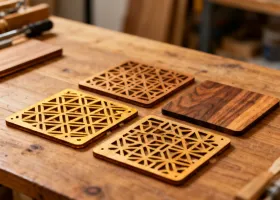
Laser cut wooden coasters with geometric patterns

Custom Coasters

Wood, cork, or acrylic — a quick project with low material cost and strong gift appeal.

Laser engraved personalized leather journal covers

Leather Journals

Engrave names, logos, or artwork onto leather covers. Great for corporate gifts and wedding favors.
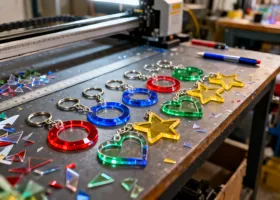
Laser cut acrylic keychains in various colors

Acrylic Keychains

High-margin, fast to produce. Ideal for Etsy sellers and event merchandise.
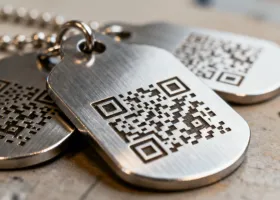
Fiber laser engraved stainless steel pet ID tags

Metal Pet Tags

Fiber laser engraved stainless steel tags with permanent, waterproof markings. Add QR codes for digital pet profiles.
Software & Downloads

Download the latest drivers, software updates, and documentation for your WeCreate laser system.

WeCreate Studio

Our free design and control software for all WeCreate laser models. Import SVG, DXF, PNG, and BMP files. Windows 10+ and macOS 12+ supported. Originally released in 2018 (v1.0), with major updates in 2021 (v2.0, added camera positioning) and 2024 (v3.0, added batch processing and material library).

v3.2.1 (Released December 2025) · Windows / macOS · 85 MB

USB Drivers & Firmware

CH340/CH341 USB drivers and firmware updates for WeCreate control boards. Always update firmware before first use.

Latest version · 12 MB

Product Manuals & Datasheets

PDF user manuals, technical datasheets, wiring diagrams, and maintenance schedules for all current models.

PDF format · Varies by model
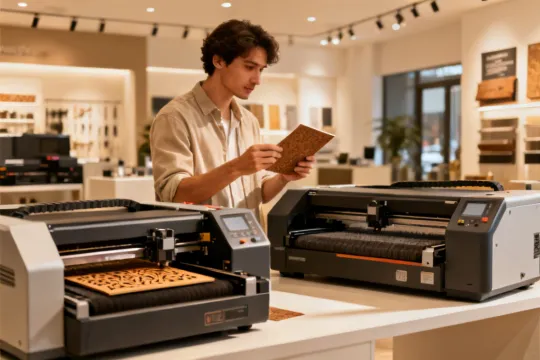
Choosing the right laser engraver - buyer's guide

Still Deciding? Read Our Buyer's Guide

Not sure whether you need a CO2, fiber, or diode laser? Our free buyer's guide breaks down the differences in plain language — comparing power ranges, material compatibility, workspace requirements, and total cost of ownership.

We also cover common mistakes first-time buyers make and how to avoid them. It's the guide we wish existed when we started.